Hot Works Permit Template

Start with a free 30-day trial. No credit card required.
Planning welding, cutting, or grinding and need a Hot Works Permit you can adapt to your site? This template comes pre-built with fields for the work location, type of hot work, fire hazards, combustible materials, isolation requirements, fire watch arrangements, emergency equipment, approvals, and sign-offs. You can edit any part of it to match your company's permit process, and the document will still hold up against the regulations you would be audited on.
This Hot Works Permit is an easy-to-use form that your workers can use to request, review, and approve welding, cutting, grinding, soldering, and other hot work before it begins. It helps teams document fire prevention controls, area inspections, equipment checks, and emergency arrangements, then share the completed permit with supervisors, contractors, and other stakeholders by exporting it to PDF or CSV.
 100% fully editable Hot Works Permit
Export your Hot Works Permit to PDF or CSV
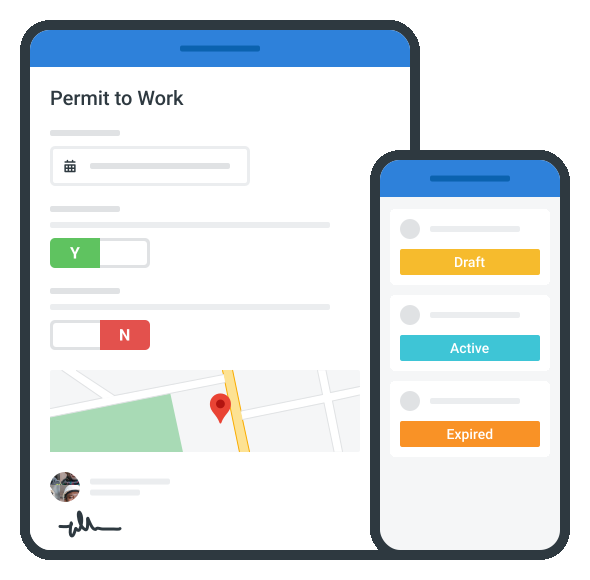
Access your Hot Works Permit on mobile, tablet or computer
Trusted by companies, projects and teams of all sizes















What is Hot Works Permit?
A Hot Works Permit is a document used by site teams, supervisors, and contractors to approve work that may produce heat, sparks, flames, or other ignition sources. This permit usually includes details on the work area, type of hot work, fire hazards, nearby combustible materials, isolation controls, fire watch requirements, emergency equipment, and people responsible for the work.
Due to the fire and explosion risks that come with hot work, hazards have to be assessed and planned around before activities like welding, cutting, grinding, brazing, or soldering begin. This makes Hot Works Permits highly relevant in industries like construction, manufacturing, shipbuilding, oil and gas, mining, utilities, and industrial maintenance, where heat-producing work is common.
Compare this Hot Works Permit to traditional Word/Excel documents
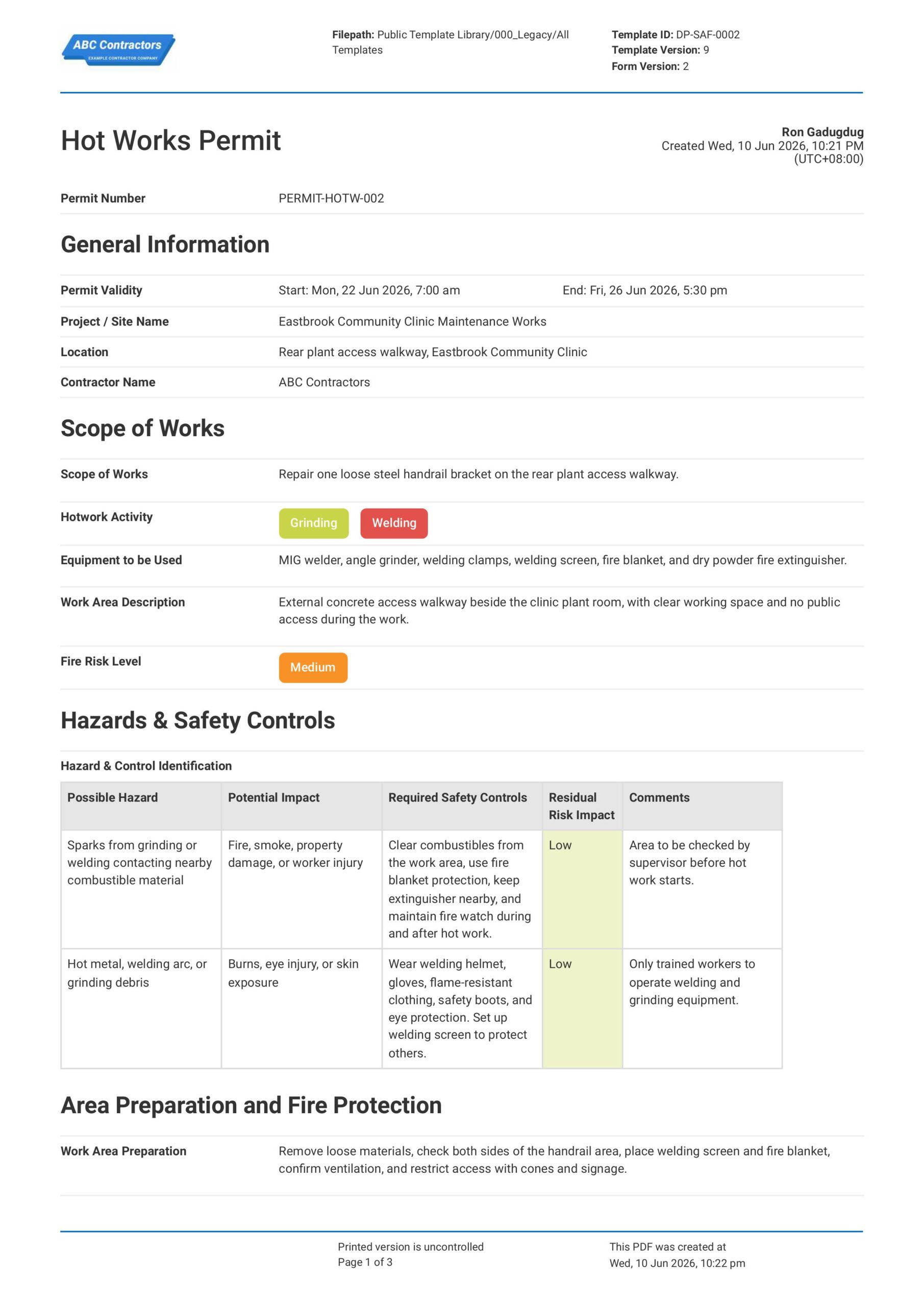
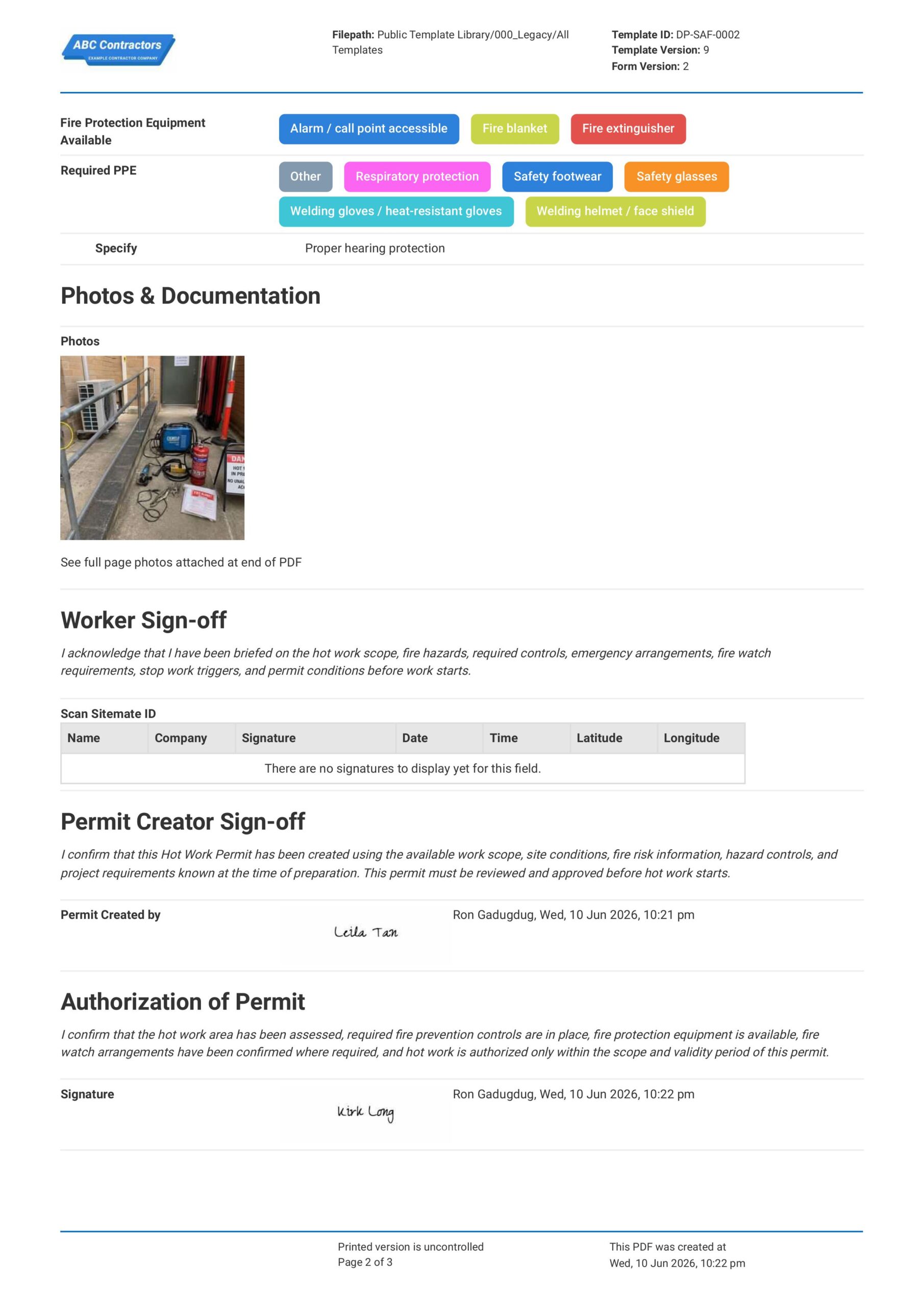
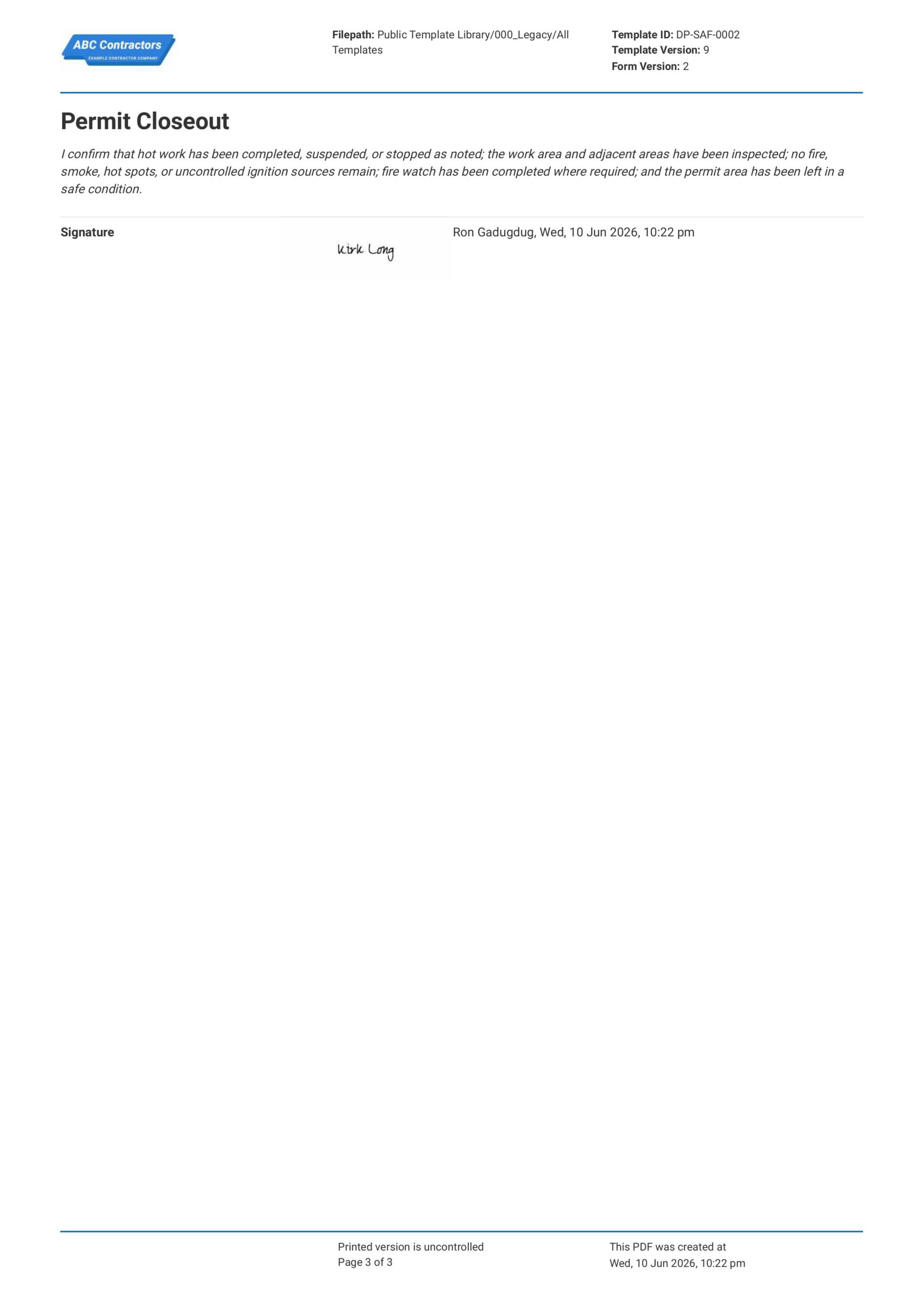
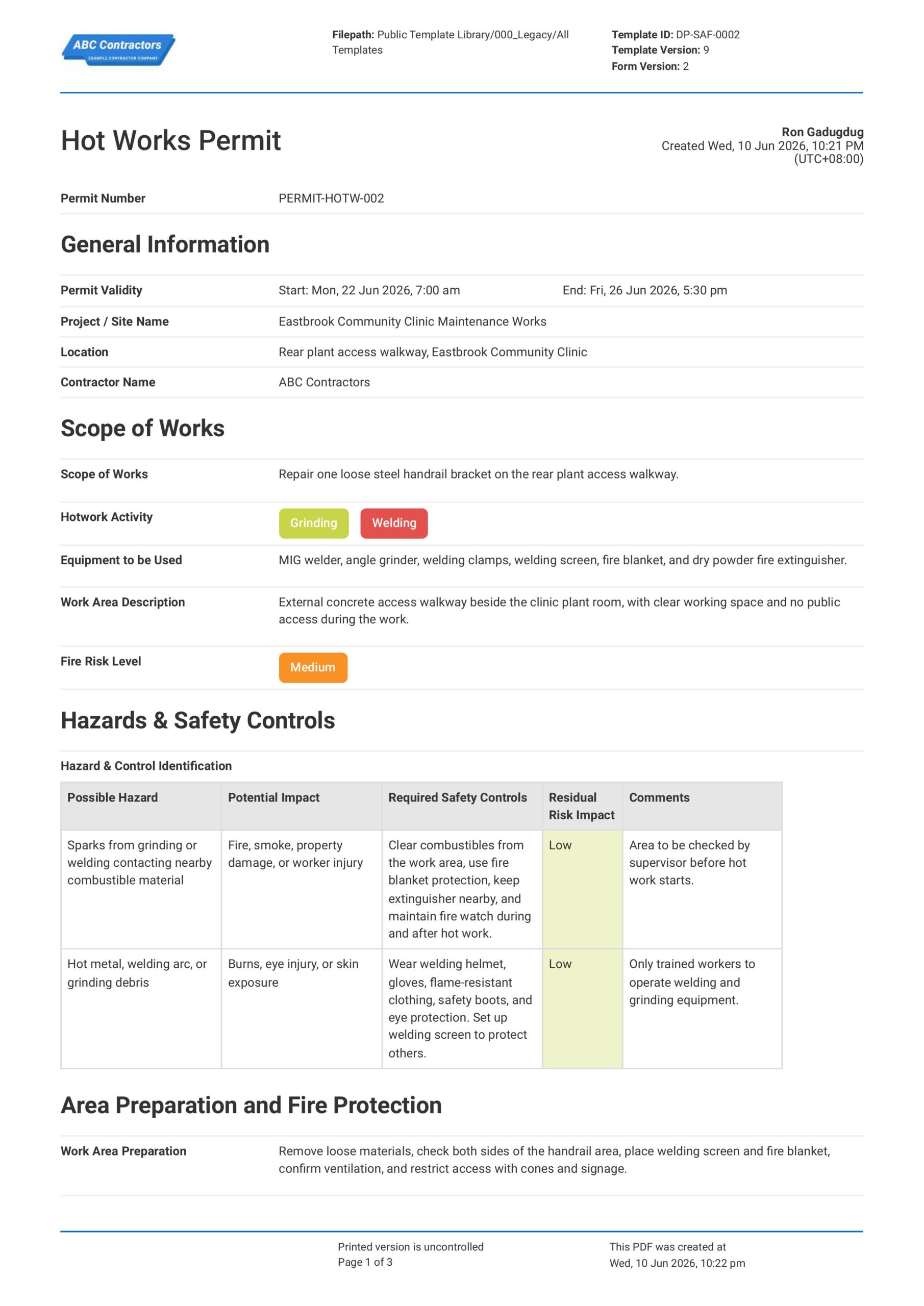
Curious how this Hot Works Permit works? Check out the example below to see what a completed permit looks like, from the hot work details through to fire watch and sign-offs. You can generate your own version, export it as a custom form with your company details, and fill in the relevant information to have a ready-to-use Hot Works Permit in minutes.
Use this Hot Works Permit template for free

Generate this template automatically with Storm
You don't have to build the Hot Works Permit field by field. Let Storm, the AI Data Capture Agent inside Dashpivot, build the template for you in seconds.
Describe what you need
Tell Storm the form you want in plain language and it builds a structured digital template from scratch, with fields, tables, and signatures in place.
Upload what you already use
Drop in your existing PDF, Word, Excel, or even a photo of a paper form. Storm rebuilds it as a smart digital template with the structure intact.
 Storm
Storm
Generate a Hot Works Permit form template that I can use for my business
Applicable Standards and Policies for Hot Works Permit
There are generally no explicit formatting requirements for a Hot Works Permit. However, most fire safety, construction, and workplace safety laws require employers to assess fire hazards and document controls before welding, cutting, grinding, or other spark-producing work begins, and a Hot Works Permit is a good document to support compliance with this. Here are examples of regulations on hot works commonly referenced around the world:
- OSHA 29 CFR 1910.252 covers welding, cutting, and brazing safety requirements in the USA
- OSHA 29 CFR 1917.152 covers hot work requirements for marine terminals in the USA
- NFPA 51B covers fire prevention during welding, cutting, and other hot work
- UK fire safety laws require responsible persons to manage fire risks from hot works
- Local WHS laws commonly require hot works permits, fire watches, and fire control measures
Staff Members and Parties that use Hot Works Permit
A Hot Works Permit is primarily used by project teams that manage welding, cutting, grinding, soldering, brazing, or other heat and spark-producing work. Here are examples of other common parties that use a Hot Works Permit:
- Site supervisors and project managers
- Welders and hot works operators
- Fire watch personnel
- Health and safety teams
- Contractors and subcontractors carrying out hot works
Business Risks Reduced by Hot Works Permit
Using a Hot Works Permit helps reduce the risk of hazards such as fire, explosion, burns, smoke exposure, flammable material ignition, and uncontrolled sparks during hot works. Ultimately, this can help businesses to:
- Reduce risk of injury, fatality, fire, or explosion during hot works
- Avoid noncompliance with fire safety and workplace safety requirements
- Prevent ignition of nearby flammable or combustible materials
- Lower exposure to legal claims, enforcement action, and incident-related costs
- Reduce project delays caused by fire incidents, emergency works, or shutdowns
Business Opportunities Created by Hot Works Permit
A well-prepared Hot Works Permit helps businesses improve control over fire-risk activities across construction, maintenance, industrial, and facility works. Here are some ways a well-designed Hot Works Permit can help businesses:
- Improve worker confidence before hot works begin
- Strengthen contractor prequalification and tender or bid competitiveness
- Improve coordination between supervisors, hot works operators, fire watch personnel, and site teams
- Build trust with clients, regulators, insurers, and project stakeholders
What Should Be Included in a Hot Works Permit?
There are no industry-wide regulations that cover what should be included in a Hot Works Permit. Rather, requirements can vary across regions, industries, and project types. However, there are some core elements that are typically included that you should know about:
- Scope and location of the hot work being done
- Type of hot work (welding, cutting, grinding, soldering, or torch work)
- Fire hazards, flammable materials, nearby services in the work area (if any)
- Required control measures such as isolation, shielding, ventilation, fire blankets, fire watch, and monitoring
- Permit validity and approval sign-off
Why Are Hot Works Permits Important?
Hot Works Permits are important because hot work typically creates sparks, heat, flames, fumes, and ignition sources that may lead to fires. This is critically important in areas such as construction sites where dust, gases, coatings, insulation, and other highly flammable materials may be present.
Essentially, a Hot Works Permit helps confirm that the work area is safe before work starts and proper safety controls are in place to mitigate risks. Additionally, it gives project management teams clear documentation of the due diligence performed in order to mitigate these risks, supporting compliance with their relevant safety regulations.
How to Create a Hot Works Permit
Creating an effective Hot Works Permit requires systematic documentation of safety measures, personnel assignments, and risk controls. Follow this step-by-step process to ensure comprehensive safety coverage for all hot work activities.
Before creating a Hot Works Permit, gather the following information:
- Work location details and site layout drawings
- Scope of hot work activities and equipment to be used
- Worker certifications and training records
- Fire safety equipment inventory and locations
- Emergency contact information and procedures
- Combustible material locations and removal plans
-
Start with Site and Permit Information
First, you need to place high-level general information at the beginning of your Hot Works Permit to help establish context for the work to be done. Here are some examples of core elements that you can use:
- Project name and site location
- Hot works permit number and validity period
- Description of hot work activity, such as welding, cutting, grinding, or brazing
- Exact work area or equipment location
- Names and roles of workers, supervisors, permit issuers, and approvers
-
Assess the Hot Work Hazards
It is important that potential hazards are identified before the hot work starts so the appropriate safety control measures can be implemented. Common hazards that you should look out for include:
- Fire or explosion risks from sparks, heat, or molten metal
- Flammable liquids, gases, dust, or nearby combustible materials
- Poor ventilation or smoke build-up
- Hot surfaces, burns, or arc flash exposure
-
Record Fire Prevention and Safety Controls
After the hazards are identified, you will want to determine the appropriate fire prevention or safety control measures to reduce risks for your workers and nearby site personnel. For example, you will want to list the following information in your Hot Works Permit:
- Removal or protection of combustible materials
- Fire blankets, welding screens, or spark containment measures
- Isolation of flammable materials, gas lines, or live services
- Suitable fire extinguishers or fire hose access
- PPE requirements for workers performing the hot works
-
Confirm Monitoring, Isolation, and Emergency Procedures
Confirming monitoring, isolation, and other emergency procedures helps make sure any residual risks are further addressed and appropriate contingencies are in place in case of an incident. Be sure to document the following information in your permit:
- Fire watch requirements and assigned fire watch personnel
- Emergency contact information
- Incident reporting and evacuation procedures
-
Complete Approval, Fire Watch, and Permit Close-Out
Complete your permit with approval to proceed and a permit close-out section to confirm that the hot works were monitored from start to finish. Here are some examples of fields you can include:
- Permit issuer and approver signatures
- Start and finish time of the hot work activity
- Post-work fire watch inspection time and result
- Final close-out signature and completion time
Frequently asked questions
How to create your Hot Works Permit in an App or Software System
Proper Hot Works Permit allows site teams to easily document planned and ongoing work, ensure workplace safety, and enforce safe work practices in a way that makes documentation and sharing quick and easy.
25 minutes
Easy difficulty
-
Start your Hot Works Permit with General Information
It is important to begin your Hot Works Permit with key permit, project, contractor, and work location details so the document can be traced to the correct hot works activity. This section should use simple text and date fields for fields such as:
- Text field or Automatic Form Counter for Permit Number
- Date and time selector fields for Permit Validity Start and End
- Text fields for Project / Site Name and Location
- Text field for Contractor Name
-
Create a Section for Scope of Works
Next, create a section where users can describe the hot works activity, work area, equipment to be used, and the fire risk level. For simplicity, we recommend using the following fields:
- Multi-line text field for Scope of Works
- Multiple-choice selector field for Hotwork Activity
- Multi-line text field for Equipment to be Used
- Multi-line text field for Work Area Description
- Dropdown field for Fire Risk Level
-
Create a Table for Hazards and Safety Controls
Users will next need to list the possible hazards, potential impacts, safety controls, and remaining risk level for the hot works activity. We highly recommend using a table for this section, with the following formatting for the columns:
- First column for Possible Hazard
- Second column for Potential Impact
- Third column for Required Safety Controls
- Fourth column for Residual Risk Impact
- Fifth column for Comments
-
Add Sections for Area Preparation, Fire Protection, PPE, and Photos
After the hazard control section, add fields where users can confirm the work area setup, available fire protection equipment, required PPE, and supporting photo evidence. Be sure to add the following fields:
- Multi-line text field for Work Area Preparation
- Multiple-choice selector field for Fire Protection Equipment Available
- Multiple-choice selector field for Required PPE
- Conditional text field for Specify when Other PPE is selected
- Photo upload field for Photos
-
End your Hot Works Permit with Worker Sign-off, Permit Approval, and Closeout
Finally, complete the Hot Works Permit with worker acknowledgment, permit creator sign-off, permit approval, and closeout confirmation. If your app or software allows, use automatic e-signature fields and include fields like:
- Pre-filled text field for Worker Sign-off acknowledgment statement
- Scan ID field and manual sign-off table for Worker Sign-off
- Pre-filled text field for Permit Creator Sign-off statement, with e-signature field for Permit Creator
- Pre-filled text field for Permit Approval statement, with e-signature field for approval
- Pre-filled text field for Permit Closeout statement, with e-signature field and automatic date and time stamp
About the author

Ron Gadugdug
Content Engineer
 LinkedIn
Education
Cebu Institute of Technology - University - Civil Engineering
Bio
Ron is a Civil Engineer with 6 years of experience in the construction industry, primarily focused on quantity surveying, cost estimation, project management, quality control, contract administration, and property & engineering insurance. At Sitemate, he writes about practical applications of evolving technologies and digital solutions that support construction professionals in improving efficiency, compliance, and project delivery across the built world.
Past Projects
Quantity Surveying & Cost EngineeringPerformed quantity take-offs of several high-rise and horizontal structures using sheets and applications like Revit and Bluebeam Revu, and spearheaded trials with Building Information Modeling (BIM) software.
Project Management & ConsultancyCoordinated with project management teams during the construction of local projects such as a 4-tower hotel & resort, a 22 storey condominium project, and a school dormitory project.
Contract AdministrationAssisted during contract biddings and negotiations with general contractors and sub-contractors, and oversaw progress reporting, billings, and payment.
Property & Engineering InsuranceDedicated non-life claims handler, overseeing property and contractor all-risk insurance claims, risk management, and bonds.
Version History:
Related apps and templates
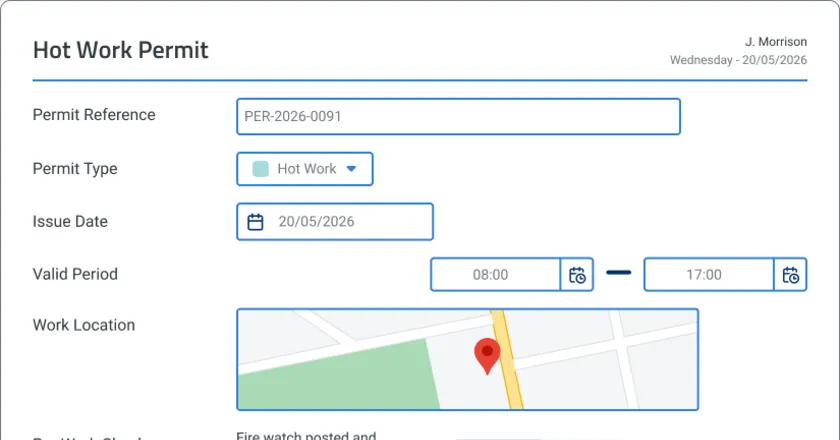
Permit to Work App
Permit to work app template that auto-drafts permits from work scope, maps site conditions to checklists, and routes approvals digitally. Built for
View app
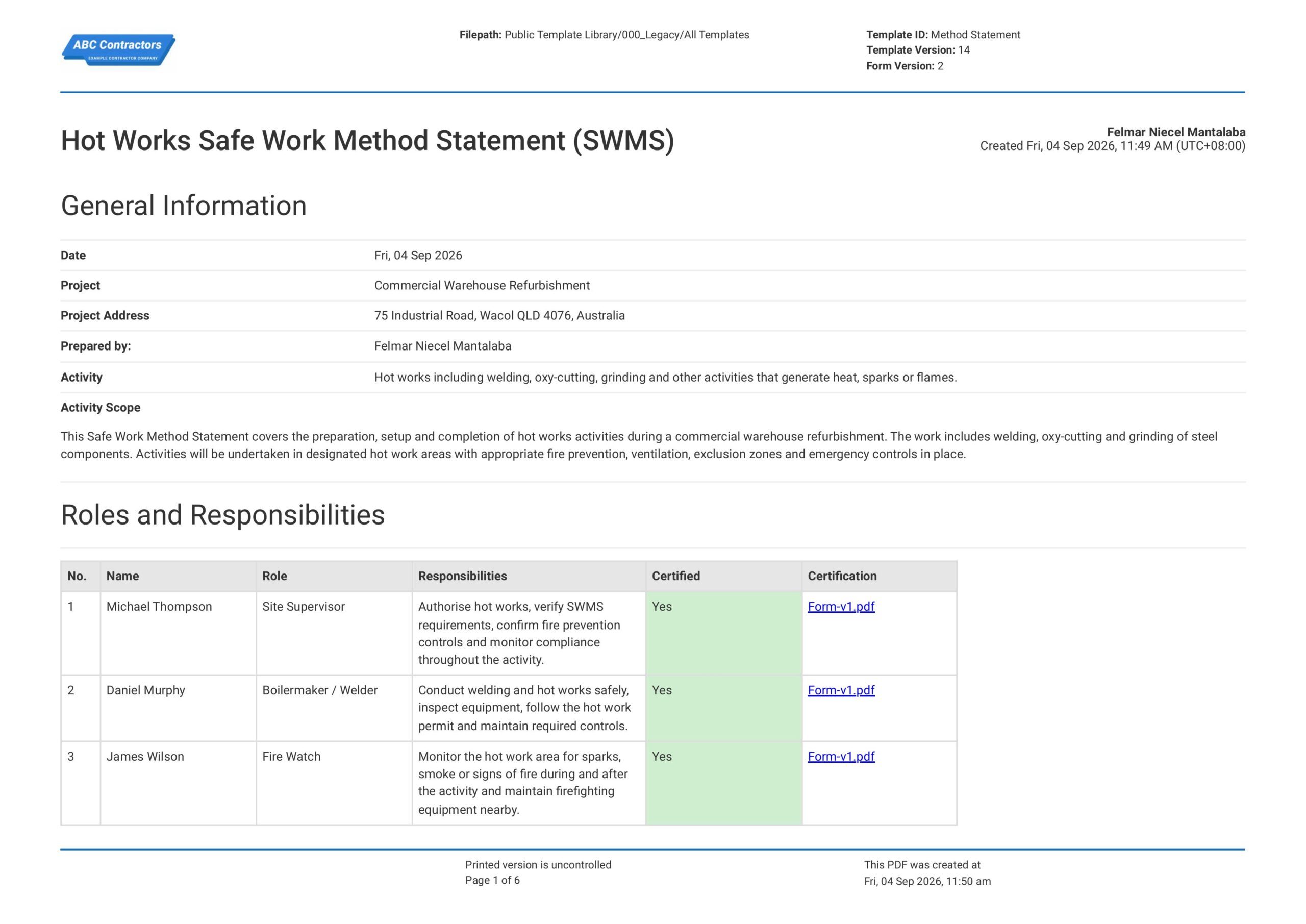
Hot Works Safe Work Method Statement
This free Hot Works Safe Work Method Statement template comes pre-built with the standard-required sections and fields of a reliable hot works SWMS. The entire template can be modified and edited to suit your own safety
View template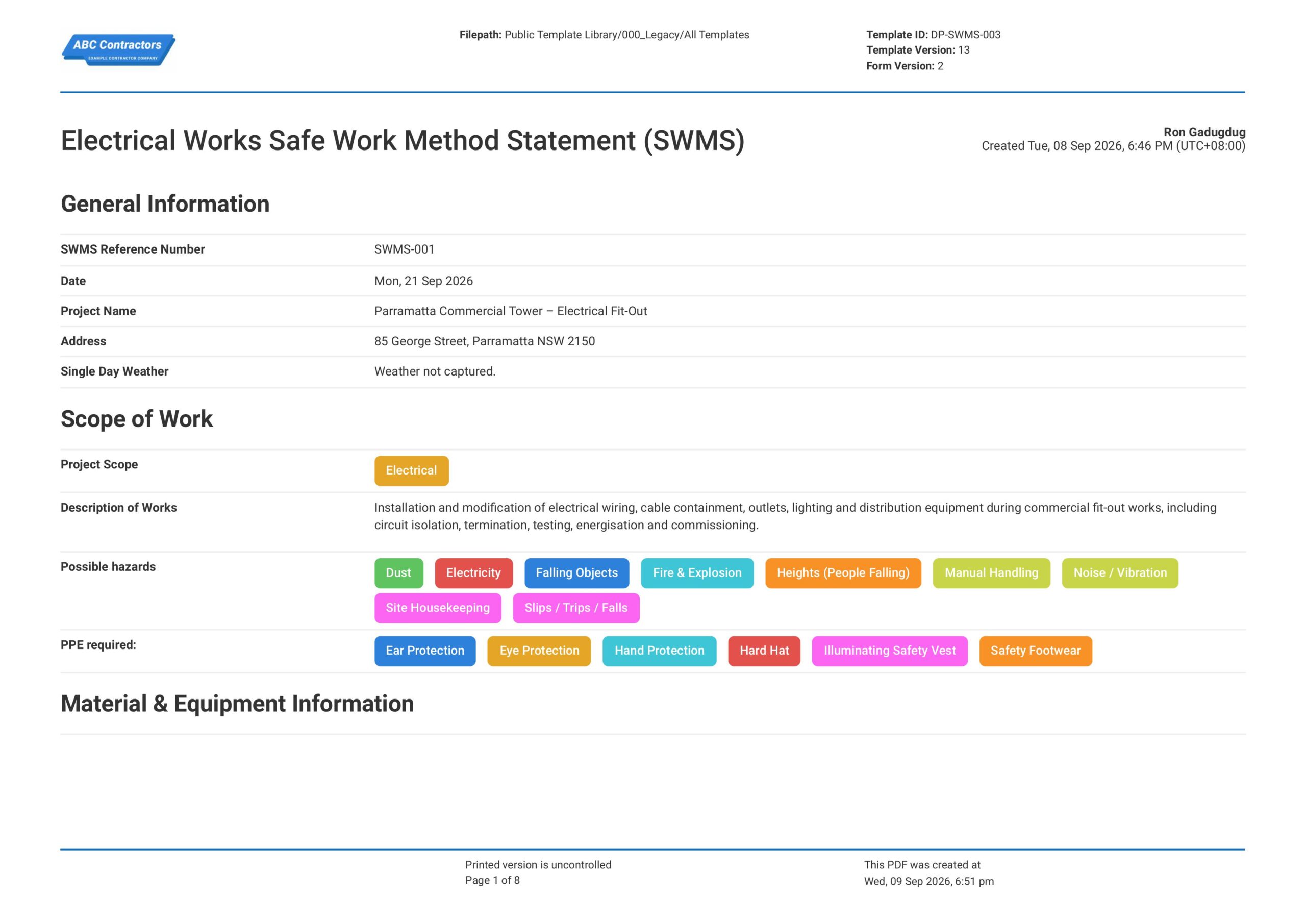
Electrical Works Safe Work Method Statement (SWMS)
This Electrical Works Safe Work Method Statement, or Electrical Works SWMS, is an easy-to-use form that your workers can use to plan and manage electrical work risks before installing, testing, repairing, or maintaining
View templateThis permit was generated with Dashpivot software
- Access, edit and complete your Hot Works Permit from any device - mobile, tablet or computer.
- Print, download or send your Hot Works Permit as perfectly formatted PDF documents with your company logo.
- Store your Hot Works Permit securely online, where they can be searched and found in seconds
- Invite internal and external parties to see, edit and sign off on Hot Works Permit online.